Save approver time
Reduce the need to inspect every receipt manually.
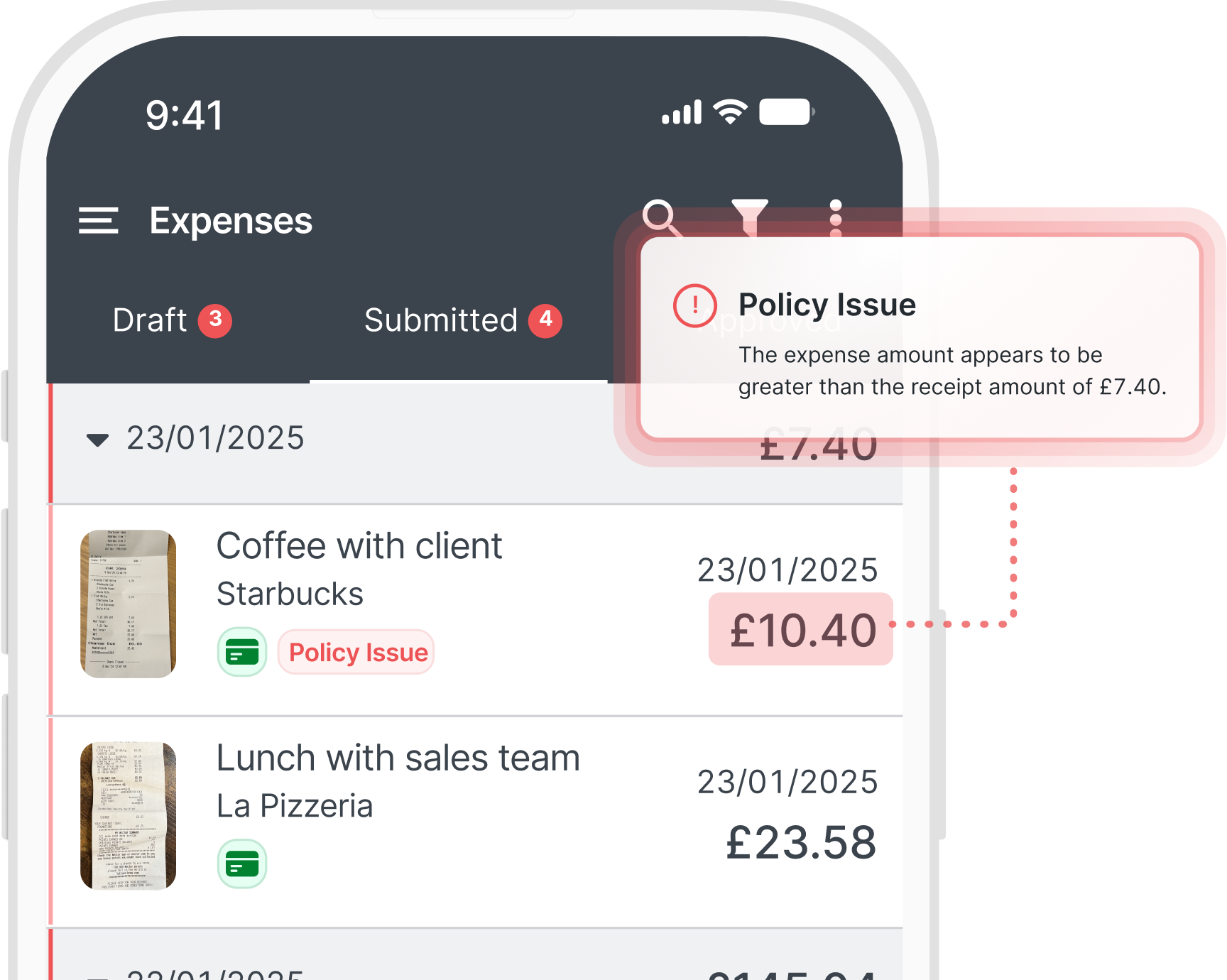
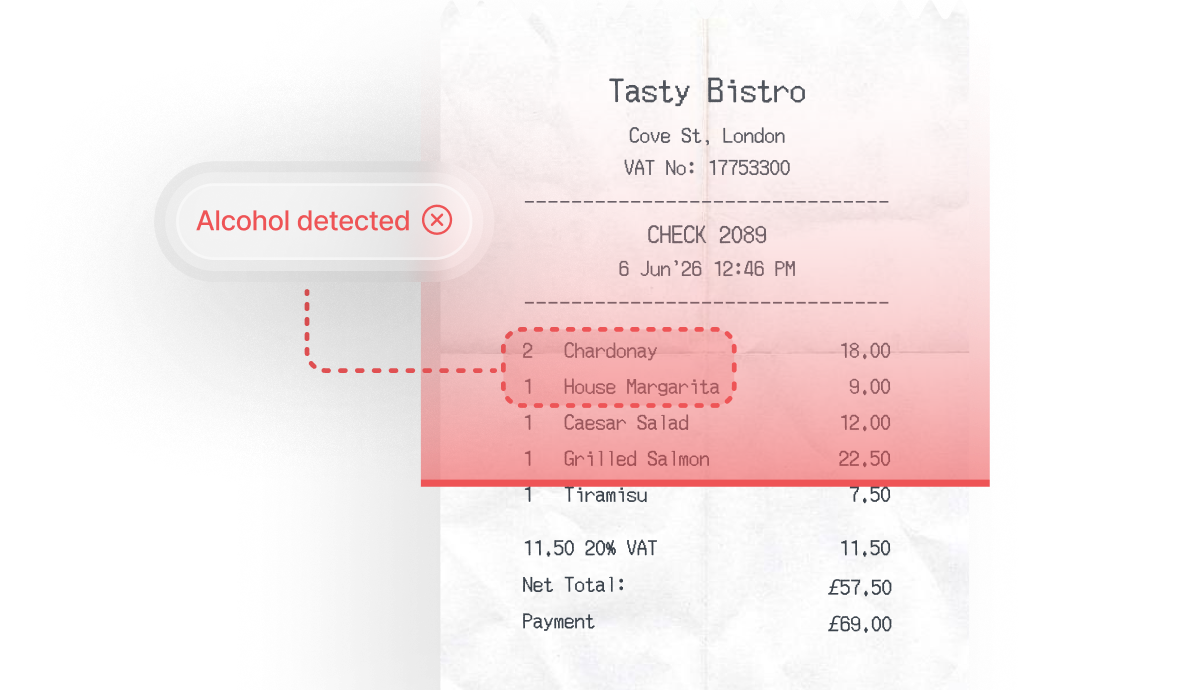
Receipt verification uses AI-powered checks to review receipts against claims and policy rules before approval, flagging issues with 98% accuracy, including amount mismatches, restricted spend, and alcohol purchases.





Receipt checks are easy to rush when approvals pile up.
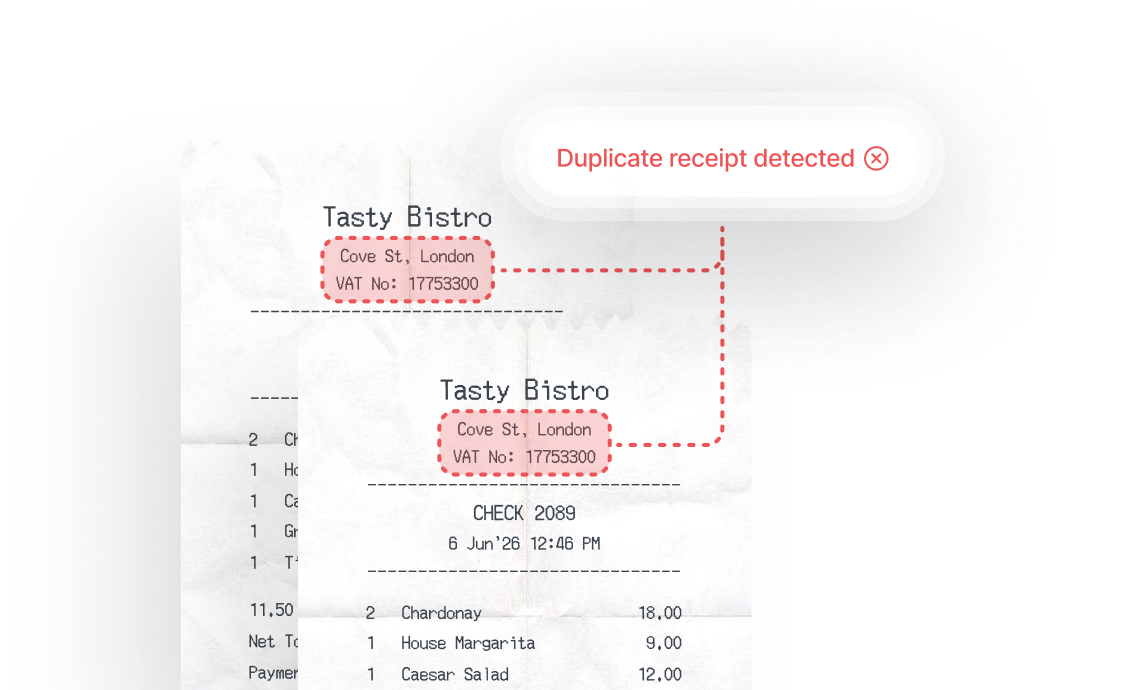
A total that doesn’t match the claim. A duplicate upload. Alcohol on a receipt where policy doesn’t allow it. Documentation that looks AI-generated.
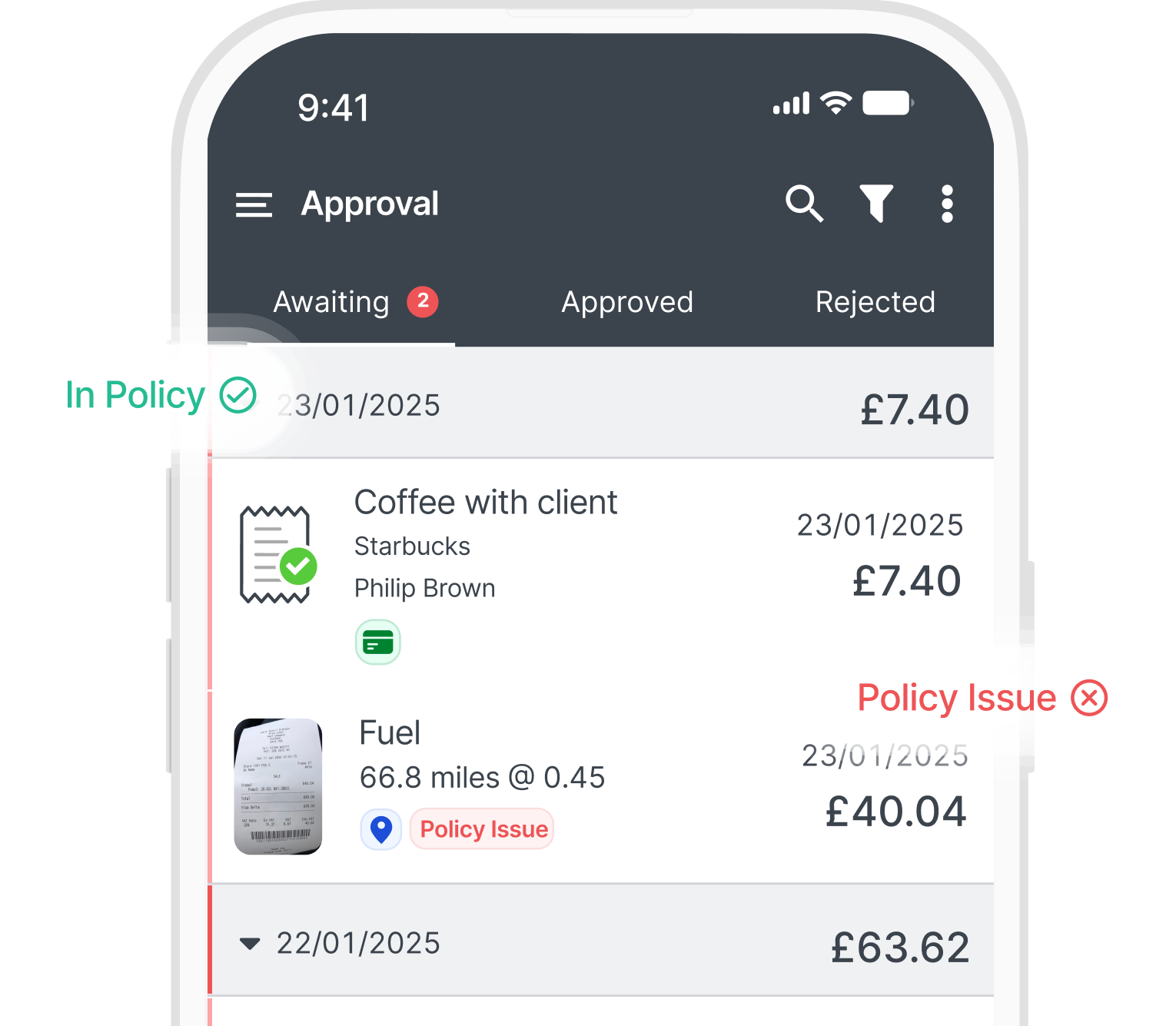
Receipt verification adds an extra layer of checking before approval, flagging issues with 98% accuracy so approvers can focus where the risk is instead of checking every receipt line by line.


Reduce the need to inspect every receipt manually.

Spot mismatches, errors, and restricted spend before approval.
Reduce corrections, surprises, and finance follow-up later.

Flag duplicate documentation before payment is made.

Keep clearer receipt evidence for rax, VAT, and reporting checks.

The employee uploads their receipt and submits the claim through ExpenseIn.

AI-powered receipt checks compare the receipt against the claim and policy details.
Potential mismatches, restricted spend, or unusual details are flagged.

Approvers and finance teams make the final decision on every claim.
| Capability | Manual receipt checks | Receipt verification |
|---|---|---|
| Flags potential issues before approval | ||
| Reduces manual receipt checking | ||
| Helps spot amount mismatches | ||
| Highlights restricted or out-of-policy spend | ||
| Supports more consistent receipt checks | ||
| Helps identify suspicious documentation | ||
| Surfaces possible fraud signals | ||
| Prompts review of compliance risks | ||
| Helps protect tax and VAT records | ||
| Helps approvers focus on exceptions | ||
| Keeps final approval with your team | ||


The ExpenseIn App is easy to use and the pricing model works very well for us.

We’re really pleased we made the decision to roll out ExpenseIn at Ascot Racecourse and the system has been widely embraced by our employees.

The biggest benefits since using ExpenseIn are its ease of use, configuration for back office and the mobile app.

The ExpenseIn App is easy to use and the pricing model works very well for us.
We’re really pleased we made the decision to roll out ExpenseIn at Ascot Racecourse and the system has been widely embraced by our employees.
The biggest benefits since using ExpenseIn are its ease of use, configuration for back office and the mobile app.
Our employees are happier as they are getting paid quicker.

The ExpenseIn App is easy to use and the pricing model works very well for us.
We’re really pleased we made the decision to roll out ExpenseIn at Ascot Racecourse and the system has been widely embraced by our employees.
The biggest benefits since using ExpenseIn are its ease of use, configuration for back office and the mobile app.
Our employees are happier as they are getting paid quicker.
See how Receipt verification helps your team flag potential issues before approval, reduce manual checks, and focus on the claims that need attention.
Receipt verification is ExpenseIn’s AI-powered automated receipt verification feature. It checks submitted receipts against expense claims and flags potential issues before approval, including amount mismatches, receipt errors, restricted spend, expenses that don’t follow company policy, and duplicate documentation.
Receipt verification gives approvers a clearer view of which receipt-backed claims need attention. Instead of manually checking every receipt line by line, approvers can focus on claims with potential mismatches or policy issues.
No. Receipt scanning helps capture receipt information. Receipt verification goes further by using AI-powered checks to review the submitted receipt against the expense claim and flagging potential issues before approval.
Yes, AI-powered automated receipt checks can help finance teams spot potential fraud signals before reimbursement, including duplicated receipts and claim details that do not match the supporting receipt.
Receipt verification flags these issues for approver review, helping teams investigate questionable claims before they move forward.
Yes, Receipt verification is designed to flag claims where the submitted amount may not match the supporting receipt, helping approvers catch errors before the claim moves forward.
Yes, receipt verification can help identify receipts that may include policy-sensitive items, so approvers can review the claim against your company’s expense policy.
No. Receipt verification supports approvers by surfacing potential issues earlier in the expense approval process. It does not replace human judgment or the final approval decision.
Looking to streamline other aspects of your expense management process?