
Business Expenses
ROI on Expense Management Solutions: Why it’s Worth the Investment
Need to justify the cost of expense management software? Find out the ROI on expense management solutions and learn why it’s worth the investment.
Managing business expenses can be overwhelming, but the right tool can make all the difference.
Whether you're a freelancer, running a growing business, or an established enterprise, an expense tracker app can help you stay organised, cut admin work, and be fully prepared come tax season.
To make things easier, we’ve rounded up the 10 best business expense tracker apps for 2026. These apps take the stress out of everything from tracking expense receipts to managing reports, so you can focus on what matters most.
Please note: This selection is not comprehensive but aims to offer a broad overview, catering to businesses of all sizes and industries.
We picked these examples to give you a taste of the different features each platform brings to the table.
The top 10 business expense tracker apps in 2026 are:
ExpenseIn (Best Overall)
Expensify
Zoho Expense
Quickbooks Online
Xero
Wave
Freshbooks
Dest
Rydoo
Shoeboxed
App | Best for | Strengths |
|---|---|---|
ExpenseIn | Businesses of all sizes | Saves time, increases VAT recovery, improves compliance |
Expensify | Businesses of all sizes | AI-powered & broad support |
Zoho Expense | Medium to large enterprises | Free plan available |
Quickbooks Online | Small businesses | Saves management time, affordable |
Xero | Small businesses | Automates tasks, customisable |
Wave | Small businesses & freelancers | Free essential tools, user-friendly |
Freshbooks | Small businesses & freelancers | Risk-free trial, user-friendly |
Dext | Accountants, bookkeepers & freelancers | Saves manual data entry time |
Rydoo | Businesses of all sizes | Automates reporting, reduces manual work |
Shoeboxed | Businesses of all sizes, accountants & individuals | Versatile receipt submission options |
Let's get into each of these apps in more detail:
Best for: Businesses of all sizes that want employee expenses, company cards, mileage, and invoice approval in one connected platform.
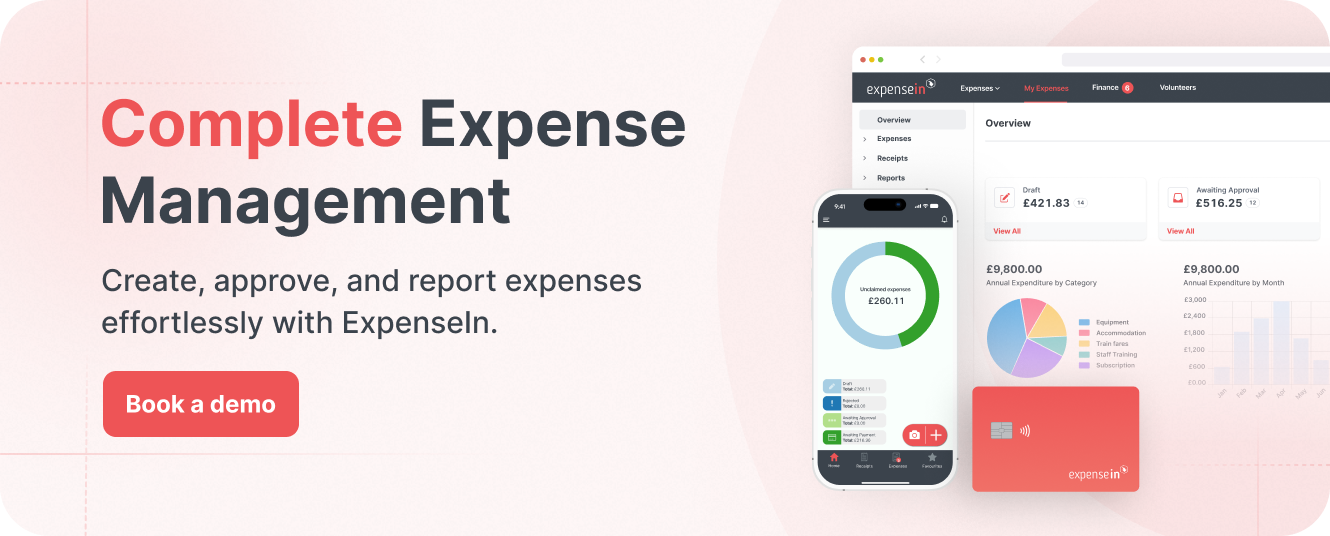
ExpenseIn is an all-in-one expense management platform designed to give finance teams more control over employee spending without adding admin.
It brings together employee expenses, company cards, mileage claims, invoice approval, expense approvals, and reporting in one system, helping businesses manage spending more efficiently across teams and entities.
ExpenseIn is used by organisations in over 50 countries and processes more than one million expenses each month.
Employee expense management: Employees can capture, submit, and approve expenses through the mobile expense app, with AI-powered receipt scanning and email receipt forwarding to reduce manual entry.
Expense cards: ExpenseIn includes company cards with built-in spend controls, real-time visibility, and automatic expense capture. It supports physical cards, virtual expense cards, and subscription cards for recurring business spend.
Digital wallets: ExpenseIn cards support Apple Pay and Google Pay, giving employees faster access to company funds while keeping finance teams’ controls and approval processes in place.
Mileage recording & carbon tracking: The platform includes Google Maps mileage calculation, cumulative mileage tracking, VAT analysis on mileage, and carbon reporting to support cleaner reporting and better oversight of travel spend.
Invoice approval: ExpenseIn also covers supplier invoice capture, coding, approval, and export, making it a broader spend management tool rather than a standalone expenses product.
Custom approval workflows and policy controls: Finance teams can build multi-stage approval flows, apply policy rules, set approval escalation, and use out-of-office cover to keep spend moving without losing control.
Real-time reporting and integrations: ExpenseIn offers real-time reporting, nominal coding, VAT analysis, project expenditure tracking, and integrations with platforms including AccountsIQ, Xero, Sage, QuickBooks, and more.
Security and audit readiness: ExpenseIn highlights ISO 9001 and ISO 27001 certification, along with MFA, SSO, audit trails, and GDPR resources for businesses that need strong governance and data protection.
All-in-one spend control: ExpenseIn combines expenses, cards, mileage, invoice approval, and reporting in one place, which can reduce system sprawl for finance teams.
Real-time visibility: Connected spend data helps finance teams track card transactions, receipts, approvals, and policy exceptions as they happen.
Strong usability: ExpenseIn is built to make submitting, approving, and managing spend straightforward for both employees and finance teams.
Finance-friendly oversight: With policy controls, approval workflows, reporting, and audit trails built in, ExpenseIn helps finance teams stay in control without relying on manual processes.
ExpenseIn offers Core, Advanced, and Complete plans. For the latest pricing details, visit ExpenseIn’s plans page.
Best for: Companies seeking a robust set of features to enhance operational efficiency.
 Expensify offers a comprehensive solution for managing business expenses, catering to both small and large companies.
It includes AI-powered receipt scanning, customisable reporting, and integrations with accounting software, aimed at simplifying the expense reporting process and improving financial oversight.
One-click receipt scanning: Use SmartScan to automatically capture receipt details.
Credit card import: Merge and code transactions automatically.
Customisable workflows: Tailor approval workflows and expense policy rules.
Corporate card reconciliation: Manage corporate spending within the app.
Accounting integrations: Sync with your accounting system for easier audits and tax prep.
Tax tracking: Customise tax rates and policies.
Audit and compliance: AI-powered auditing for duplicates and exchange rates.
Strong AI-powered receipt scanning, automated expense reporting, and broad multi-currency support.
For the latest pricing information, visit Expensify’s pricing page.
Best for: Medium to large enterprises looking for a solution to manage their expense processes.
 Zoho Expense is part of Zoho's multi-tool suite, designed to streamline both expense management and broader organisational processes like sales and marketing.
It simplifies managing corporate travel bookings, expense reporting, and reimbursements, and integrates seamlessly with other Zoho applications, supporting a cohesive workflow across different business functions.
Receipt management: Auto-scans and digitally stores receipts for efficient organisation.
Expense management: Automates the creation of various expense types, simplifying business expense tracking.
Corporate card reconciliation: Streamlines reconciliation between expenses and corporate card transactions.
Expense report automation: Eases the process of creating and submitting expense reports automatically.
Audit and compliance: Ensures compliance with tax laws and audit readiness with digital receipts and reports.
Offers a limited free plan for small businesses and freelancers to track expenses and business mileage.
For the latest pricing information, visit Zoho Expense’s pricing page.
Best for: Small businesses seeking to save time and streamline financial management without hidden fees.
 QuickBooks Online is primarily an accounting tool that also incorporates an expense management feature to streamline financial tasks.
It is designed to save small businesses approximately 8 hours per week by efficiently managing their finances, including compliance with HMRC's Making Tax Digital requirements.
The platform integrates expense tracking within its broader suite of financial tools, offering transparent pricing and free expert support.
Invoice creation directly from your phone with automatic reminders for overdue payments.
Easy bank and credit card data integration for real-time cash flow visibility.
Insights into cash flow and profitability by project, job, or location.
Automated expense tracking and categorisation.
Saves approximately 8 hours per week on business financial management.
For the latest pricing information, visit QuickBooks Online’s pricing page.
Best for: Small businesses in need of straightforward, cloud-based accounting software to streamline financial tasks.
 Xero offers a robust online accounting solution tailored for small businesses, focusing on streamlining bookkeeping and ensuring compliance.
It not only automates invoicing and bank reconciliation but also integrates expense management within its platform. This centralises financial data and supports real-time collaboration with advisors.
Additionally, Xero enhances its functionality with customisable app integrations to meet specific business needs.
Consolidates invoices, contacts, and accounts online for easy access.
Syncs with bank accounts for secure, automated transaction import.
Enables real-time online collaboration with financial advisors.
Offers customisation by connecting with a wide range of third-party apps.
Automates routine financial tasks like invoicing and bank reconciliation, and it’s customisable with add-ons and a vast selection of apps from the Xero App Store.
For the latest pricing information, visit Xero’s pricing page.
Best for: Small business owners and freelancers who prioritise simplicity and cost-effectiveness in managing their finances.
 Wave transforms expense management for small businesses and freelancers, offering a robust system that captures, organises, and reports your financial data with ease.
Now featuring an advanced mobile receipts function, Wave simplifies expense tracking even further. Just snap a photo with your phone, and Wave's optical character recognition (OCR) technology does the rest.
This automates the entry of receipt information and makes tax time easy by maintaining detailed records of every transaction.
Mobile receipts: Easily scan and organise receipts with your mobile device or desktop, using Wave’s powerful OCR technology.
Cloud storage: Back up your receipts in the cloud for secure and easy access, anytime and anywhere.
Bulk import options: Import up to 10 receipts at once for efficient expense management.
Expense tracking: Monitor business spending automatically, reducing the need for manual bookkeeping.
Tax preparation made easy: Automated expense records help prevent tax season stress by providing accurate and comprehensive financial data.
Multiple upload methods: Choose from mobile, desktop, or email to upload your receipts to Wave.
Free access to essential tools like invoicing and accounting for managing finances efficiently.
For the latest pricing information, visit Wave’s pricing page.
Best for: Small business owners, freelancers, and self-employed professionals seeking an intuitive accounting software for streamlined financial management.
 FreshBooks provides a user-friendly accounting solution geared towards small business owners and accountants, emphasising invoicing, expense tracking, and time management.
This integration of expense management within its accounting features helps streamline financial administration, saving users time on paperwork.
FreshBooks is renowned for its easy-to-use interface, which includes professional invoicing, automated payment reminders, and support for multi-currency transactions to enhance financial efficiency and order.
Professional invoicing that's easy to create and send to clients.
Comprehensive accounting tools that track expenses, payments, and financial reports.
Time tracking for managing billable hours and project profitability.
Seamless bank integration for up-to-date financial insights and easier tax preparation.
Offers risk-free trial with a 30-day money-back guarantee, demonstrating confidence in the product's value.
For the latest pricing information, visit FreshBooks’s pricing page.
Best for: Accountants, bookkeepers, and business owners who are looking to enhance the efficiency of their financial tasks through automation.
 Dext offers a comprehensive accounting suite that automates data extraction from receipts and manages e-commerce transactions, enhancing overall accounting data quality.
Its key components - Dext Prepare, Dext Commerce, and Dext Precision - each support distinct aspects of financial management, including robust expense management features to streamline and integrate financial operations effectively.
Dext Prepare: Facilitates auto-extraction of financial data from documents, reducing manual entry.
Dext Commerce: Automatically fetches digital sales transactions, simplifying e-commerce accounting.
Dext Precision: Provides quality control for accounting data, ensuring accuracy and compliance.
Dext Mobile App: Offers a receipt automation app to streamline expense management.
Saves considerable time on manual data entry, contributing to significant productivity gains.
Dext has three plans to choose from. For the latest pricing information, visit each pricing page:
Best for: Companies looking for a digital solution to manage and automate their expense reporting.
 Rydoo aims to streamline the expense management process for both finance teams and business owners by offering automation of expense claims, approvals, and reimbursements.
It includes functionalities such as policy customisation, receipt scanning with auto-population of expense details, instant expense approval, and detailed financial reporting.
Customisable policies: Allows for the setting of spending limits and approval workflows.
Receipt scanning: Offers the capability to quickly capture and categorise expense details from receipts.
Instant approval: Enables timely approval of expenses to maintain policy compliance.
Reporting: Provides updates and insights on spending patterns and company expenses.
Per diem management: Supports the calculation of daily allowances based on official rates and trip details.
Mileage tracking: Includes functionality for tracking and submitting mileage expenses using integrated mapping services.
Expense cards: Offers both virtual and physical corporate cards for streamlined spending management.
Automates various aspects of expense reporting, potentially reducing manual work for finance teams.
For the latest pricing information, visit Rydoo’s pricing page.
Best for: Businesses of all sizes, accountants, and individuals seeking a digital solution for transforming paper receipts into digitised data for expense reporting.
 Shoeboxed is a receipt management application designed to assist in converting physical receipts into digitised data through various submission methods, including mail, mobile app, email, and desktop upload.
It targets the automation of expense management and tax preparation, offering features like automatic data extraction, categorisation, and integration with accounting software.
Receipt scanning: Converts paper receipts into digital form with options for mail-in, mobile capture, email forwarding, and desktop uploads.
Data extraction: Utilises OCR technology to automatically extract key information from receipts.
Expense reporting: Allows for the creation of comprehensive expense reports that include digitised receipts.
Audit readiness: Ensures that digital copies of receipts are stored in a manner compliant with IRS and CRA requirements.
Integration: Offers connectivity with various accounting and ERP systems to streamline financial workflows.
Provides a versatile array of options for submitting receipts to the service, catering to different user preferences.
For the latest pricing information, visit Shoeboxed’s pricing page.
ExpenseIn is our top choice for business expense tracking.
It combines expenses, company expense cards, mileage, invoice approval, and reporting in one platform, giving finance teams better control over spend.
Employees can scan receipts, submit claims, and log mileage through the expense app. Finance teams get approval workflows, policy controls, and clearer reporting.
For businesses that want to reduce admin and keep a closer eye on spend, ExpenseIn is a strong option.

A good expense tracker app should simplify the process of submitting expenses.
Look for an app with a powerful receipt scanning feature that can capture and automatically extract relevant information from receipts, like:
Date
Vendor
Amount
Category
The ability to generate detailed and customisable reports is crucial.
Whether it’s a summary of monthly expenses or an analysis of spending by category, these reports should be easy to generate and understand, offering clear visibility into your financial health.
Your expense tracker app should sync with other tools you use, especially your accounting software.
Integration with popular platforms like QuickBooks, Xero, or Sage ensures a seamless flow of financial data without manual data entry.
For businesses with employees who travel frequently, a business travel expense app with mileage tracking is invaluable.
This feature should accurately log miles travelled, calculate reimbursements, and even track carbon emissions for those mindful of their environmental impact.
The right app will enable you to set up customisable approval workflows that reflect your company’s hierarchy and spending policies.
Choose an app that employs strong security measures, such as:
Encryption,
Secure cloud storage,
And multi-factor authentication.
An intuitive, easy-to-navigate interface makes it simpler for everyone in your organisation to adopt the app.
A cloud-based expense tracker app offers the flexibility to access financial data from any device, anytime, making sure you’re always in the loop, even on the move.
Lastly, responsive and helpful customer support is essential.
Whether it’s assistance with setup, troubleshooting, or answering queries, knowing you have reliable support can make all the difference in your experience with the app.
Finding the right expense tracker app for your business can seem daunting, but it doesn’t have to be.
Use this handy checklist to compare and assess how each employee expenses app meets your specific needs.
Receipt scanning: Does the app offer quick and accurate receipt scanning and data extraction?
Expense reporting: Can you easily generate comprehensive and customisable expense reports?
User interface: Is the app’s interface intuitive and easy to navigate for all users?
Accounting software integration: Does the app integrate smoothly with your current accounting software (e.g., QuickBooks, Xero, Sage)?
Multi-platform support: Is the app available and functional on various devices (iOS, Android, web)?
Mileage tracking: Does the app provide an efficient way to track and calculate mileage for reimbursements?
Approval workflows: Can you set up customisable approval workflows that match your company’s structure and policies?
Policy compliance: Are there features to enforce and check expenses against company policies?
Data security: Does the app employ robust security measures to protect your financial data?
Cloud-based: Is the app cloud-based, offering secure and easy access to data from anywhere, at any time?
Data backup and recovery: Are there provisions for data backup and quick recovery in case of data loss?
Customer support: Is there accessible and responsive customer support to assist with queries and issues?
Training materials: Does the app provide tutorials, guides, or training sessions for new users?
Pricing structure: Is the pricing model of the app clear, and does it offer value for money based on its features?
Free trial/demo: Is there a free trial or demo available to test the app before committing financially?
Real-time notifications: Are there real-time alerts for new expenses, approvals needed, or policy violations?
Customisable categories: Can you customise expense categories to fit your business’s unique needs?
Multi-currency support: Does the app support transactions in multiple currencies if your business operates internationally?
Positive reviews: Does the app have positive reviews and testimonials from current users?
Recommendations: Is the app recommended by industry experts or recognised in business technology circles?
Before making your final decision, make sure the app ticks as many boxes as possible on this checklist.
Rolling out a new expense tracker app in your company is a great move towards financial efficiency and transparency.
Here’s a detailed plan to ensure a smooth transition, encourage user adoption, and achieve seamless integration with your existing systems:
Using our reviews and checklist for choosing an expense tracker app above, you should have all the necessary information to choose the perfect expense tracker app for your business.
Creating a roadmap for integration is crucial.
Evaluate how the new app will mesh with your existing workflows and set clear goals and timelines for its rollout.
Preparing for potential challenges in advance will help mitigate them more effectively when they arise.
Identify goals and set realistic timelines.
Anticipate challenges and strategise solutions.
Having a go-to person or team spearheads the app’s rollout and serves as a central point for support and customisation.
This team will be pivotal in adjusting the app to suit your unique business needs and in providing training and support to your staff.
Assign roles and responsibilities.
Customise the app for your specific requirements.
Effective training sessions that cover the app's functionalities can significantly impact its successful adoption.
Utilise various resources to cater to different learning styles, including user manuals, video tutorials, and Q&A sessions, ensuring your team feels confident and supported.
Organise comprehensive training sessions.
Provide diverse learning resources for varied needs.
Transparent communication about the upcoming changes prepares your team mentally and emotionally.
Explaining the benefits of the app and how it will make their work easier can foster a positive outlook towards the transition.
Announce the implementation plan well in advance.
Highlight the benefits to address any resistance.
Encouraging feedback is essential for continuous improvement.
Regularly collect insights on the app’s usability and effectiveness directly from your team.
This feedback can be invaluable in making necessary adjustments and in reinforcing a culture of open communication.
Encourage regular feedback through surveys or meetings.
Act on the feedback to improve user experience.
Keep an eye on how your team is adapting to the new app.
Analytics can offer a clear picture of the app’s usage patterns, helping you identify areas where additional support or training might be necessary.
Use analytics to monitor adoption rates.
Provide extra support where needed.
As your team gets more familiar with the app, continue to offer support.
Updating training materials and organising refresher courses will help keep everyone up to speed with any new features or updates.
Update training materials regularly.
Organise refresher training sessions.
Ensure a seamless integration process by collaborating closely with your IT department or the app provider.
A thorough testing phase is crucial to avoid any disruptions to your existing financial management processes.
Collaborate with IT for smooth integration.
Conduct thorough testing before full implementation.
Regular evaluations of the app’s impact on your business processes will help you gauge its effectiveness.
Be open to making necessary adjustments to ensure the expense management software continues to meet your business needs efficiently.
Regularly review and assess the app’s impact.
Be adaptable to making changes for improvement.
Finally, recognising and celebrating the successful implementation of the app can be a great morale booster.
Share success stories and acknowledge the benefits that the app has brought to your business processes.
By following these steps, you can ensure that your transition to a new expense tracker app not only enhances your financial management but also enjoys broad acceptance across your organisation.
Remember, the goal is to make financial tracking as effortless as possible, allowing your team to focus on what they do best.
The best app depends on your business size, process, and reporting needs. If you need expenses, company cards, mileage, invoice approval, and reporting in one platform, ExpenseIn is a strong option for finance teams that want more control over spend.
Look for:
Receipt scanning
Mobile expense capture
Mileage tracking
Approval workflows
Policy controls
Reporting
Accounting integrations
If you manage spend across multiple teams, it also helps to have company cards and invoice approval in the same system.
Most business expense apps include receipt scanning, like ExpenseIn. This lets employees upload a receipt in the app so key details can be captured without typing everything manually.
Many do, like ExpenseIn. Mileage tracking features usually let employees log journeys, calculate distance, and submit mileage claims through the app. Some tools also include VAT analysis and carbon tracking.
No. ExpenseIn covers employee expenses, company cards, mileage recording, invoice approval, and reporting, making it a broader spend management platform rather than a basic receipt tracker.
Start with your process. Think about how employees submit expenses, how approvals work, which systems you already use, and where finance loses time today. The right tool should match your approval process, reporting needs, and level of spend control.
Choosing the right expense tracker app can really make a difference in how smoothly your business runs.
Think about it: no more end-of-month receipt hunts or tax season panics.
With ExpenseIn, you're not just getting a tool to track expenses; you're setting your business up for smarter financial management and growth.
Let's make financial stress a thing of the past.
Ready to simplify your expense tracking? Book a free demo now and see how ExpenseIn can revolutionise your business finances.
Need to justify the cost of expense management software? Find out the ROI on expense management solutions and learn why it’s worth the investment.

