Business Expenses
Top 10 Business Expense Tracker Apps in 2026
Breakdown of the 10 best business expense tracker apps in 2026.
Looking for the best expense management software for your business in 2026?
This guide compares five leading expense management tools for finance teams, small businesses, and growing organisations.
We’ve focused on the areas that matter most in practice:
Receipt capture
Approvals
Mileage
Cards
Reporting
Integrations
Day-to-day usability
The right software should do more than digitise receipts. It should help employees submit expenses quickly, give managers cleaner approvals, and give finance teams better control over spend, policy compliance, and reporting.
Best overall: ExpenseIn
Best for broader spend control: ExpenseIn
Best for global expense reporting: Expensify
Best for Zoho users: Zoho Expense
Best for travel-heavy teams: Rydoo
Best for small businesses or freelancers: Wave
Expense management software helps businesses capture, approve, track, and report employee spend in one system. Depending on the platform, that can include receipt scanning, mileage tracking, approval workflows, policy checks, reimbursements, expense card spend, invoice approval, and accounting integrations.
For finance teams, the main benefit is less manual work and better visibility. For employees, it usually means faster submission, fewer lost receipts, and a clearer approval process.
We ranked these tools based on what businesses typically need from an expense management system:
Receipt capture and OCR
Approval workflows and policy controls
Mileage and travel support
Reporting and visibility
Accounting and ERP integrations
Suitability for different business sizes
Overall fit for finance teams
We also looked at whether each product is positioned as a basic expense tracker or a broader spend management platform.
 Expense software makes it easier to submit claims on time.
Instead of filling in spreadsheets or emailing receipts, employees can usually scan receipts, log mileage, and submit claims through a mobile expense app.
 Managers get cleaner approval workflows, faster notifications, and fewer bottlenecks.
That matters when spend needs to move quickly without losing oversight.
 Finance teams get more control over policy enforcement, clearer reporting, easier reconciliation, and less manual chasing at month end.
The stronger platforms also connect card spend, invoices, and expenses in one place.
Please note: This isn’t an exhaustive list, and no guarantees are made regarding accuracy, completeness, or timeliness. Please check each provider’s website for the latest information. All brand names, logos and visuals belong to their respective owners.
Software | Best for | Strength |
|---|---|---|
ExpenseIn | All-round spend management | Expenses, cards, mileage, invoice approval |
Expensify | Global expense workflows | Receipt capture, cards, travel |
Zoho Expense | Zoho users | Policy-led expense management |
Wave | Small businesses | Simple accounting-led tracking |
Rydoo | Travel-heavy teams | T&E, mileage, per diems |
Let’s dive in and see which one might be the best fit for your organisation.
Best for: Businesses of all sizes that want expenses, company cards, mileage, and invoice approval in one connected platform.
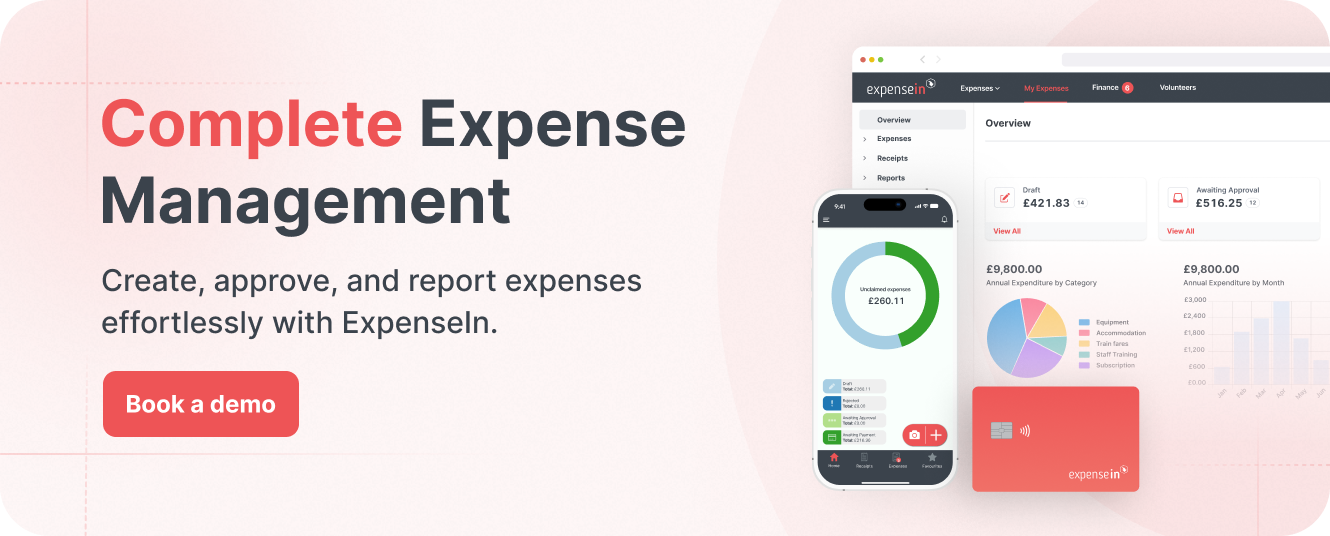
ExpenseIn is an all-in-one expense management platform built to help businesses capture, approve, and report on spend with less manual work.
It brings together employee expenses, company cards, mileage recording, AP automation, and one-off expenses in one system, giving finance teams better visibility and control. ExpenseIn says it supports companies in over 50 countries and processes more than one million expenses every month.
It is a strong fit for growing businesses that want a practical system that is easy for employees to use and robust enough for finance teams.
Expense management: Employees can create and submit expenses through the mobile expense app, forward receipts by email, import card statements, and use receipt scanning to cut down on manual entry.
Expense cards: ExpenseIn includes built-in company cards with real-time spend visibility, automatic expense capture, and spending controls. It supports physical cards, virtual expense cards, and subscription cards for recurring business spend.
Digital wallets: ExpenseIn cards support Apple Pay and Google Pay, giving employees a quicker way to pay while finance teams keep the same controls and visibility over spend.
Mileage tracking and carbon reporting: The platform includes Google Maps integration, cumulative mileage, VAT analysis, and carbon reporting to help businesses track travel spend more accurately.
Invoice approval / AP automation: ExpenseIn also covers supplier invoice capture, processing, coding, and approval, making it broader than a standard expenses-only tool.
Approval workflows and policy controls: Finance teams can use multi-stage approval flows, automated policy rules, approval escalation, out-of-office cover, receipt verification, and per diems to keep spend moving without losing control.
Expense reporting and integrations: ExpenseIn offers nominal coding, VAT analysis, project expenditure reporting, detailed policy reporting, and integrations with AccountsIQ, Xero, Sage, QuickBooks, NetSuite, and more.
Security and audit readiness: ExpenseIn highlights audit trails, MFA, SSO, ISO 9001, ISO 27001, and Cyber Essentials Plus. Its security page says data is processed and stored in the UK through AWS.
Customers love ExpenseIn for its simplicity and effectiveness. Here are a few testimonials:
“Huge saving in time for everyone – teams, approvers, and finance – with a MUCH more robust audit trail of who spent what on what.”
“For our employees, the time taken to submit an expense claim and have it approved by their Line Manager has reduced by 80%.”
“It’s taken our processing time down from 2 days to half a day.”
ExpenseIn offers Core, Advanced, and Complete plans. For the latest pricing details, visit ExpenseIn’s plans page.
Best for: Businesses of all sizes.
 Expensify is designed to take the hassle out of expense management.
Automating many of the manual processes involved in tracking and submitting expenses, significantly reduces the time and effort required from both employees and finance teams.
This makes it an attractive option for companies looking to optimise their expense workflows and improve overall productivity.
One-click receipt scanning: Snap a photo of your receipt, and Expensify’s SmartScan technology will automatically capture and categorise the details, making the process quick and hassle-free.
Credit card import: Import transactions from personal and business cards for automatic receipt merging and coding, reducing manual entry and errors.
Customisable workflows: Create approval workflows tailored to your company’s structure, ensuring efficient and accurate expense oversight.
Corporate card reconciliation: Manage and reconcile corporate card transactions directly within the app, simplifying financial management.
Integrations: Sync seamlessly with accounting, HR, and business travel software solutions.
Audit & compliance: Detect duplicate receipts and validate transactions automatically, ensuring accuracy and compliance with financial policies.
Best for: Medium to large enterprises.
 Zoho Expense is part of Zoho's extensive suite of business tools, designed to streamline expense management alongside other organisational processes like sales and marketing.
Zoho Expense simplifies the management of corporate travel bookings, expense reporting, and reimbursements.
It integrates seamlessly with other Zoho applications, creating a cohesive workflow across various business functions.
Receipt management: Automatically scans and digitally stores receipts for efficient organisation.
Expense management: Automates the creation of different expense types, simplifying tracking and management.
Corporate card reconciliation: Streamlines the reconciliation process between expenses and corporate card transactions.
Expense report automation: Facilitates the automatic creation and submission of expense reports.
Audit & compliance: Ensures compliance with tax regulations and readiness for audits with e-receipts and reports.
Best for: Small business owners and freelancers.
 Wave transforms expense management for small businesses and freelancers, offering a robust system that captures, organises, and reports financial data effortlessly.
Wave's advanced mobile receipts function simplifies business expense tracking. Users can snap a photo with their phone, and Wave's OCR technology processes the information.
This feature automates the entry of receipt details and simplifies tax preparation by maintaining detailed records of every transaction.
Mobile receipts: Easily scan and organise receipts using Wave’s powerful OCR technology on mobile devices or desktop.
Cloud storage: Securely backup receipts in the cloud for easy access anytime, anywhere.
Bulk import options: Import up to 10 receipts at once for efficient expense management.
Expense tracking: Automatically monitor business spending, reducing the need for manual bookkeeping.
Tax preparation: Automated expense records help alleviate tax season stress by providing accurate financial data.
Multiple upload methods: Upload receipts via mobile, desktop, or email.
Best for: Businesses of all sizes.
 Rydoo aims to simplify the expense management process for finance teams and business owners by automating expense claims, approvals, and reimbursements.
Rydoo includes features such as policy customisation, receipt scanning with auto-population of expense details, instant expense approval, and detailed financial reporting.
Customisable policies: Set spending limits and approval workflows tailored to your organisation’s needs.
Receipt scanning: Quickly capture and categorise expense details from receipts.
Instant approval: Enable timely approval of expenses to ensure policy compliance.
Reporting: Gain insights and updates on spending patterns and company expenses.
Per diem management: Calculate daily allowances based on official rates and trip details.
Mileage tracking: Track and submit mileage expenses using integrated mapping services.
Expense cards: Utilise virtual and physical corporate cards for streamlined spending management.

For small businesses, the best expense software usually depends on whether the priority is simple bookkeeping or broader spend control.
If you want straightforward accounting and receipt tracking, Wave is a practical choice.
If you want a more complete spend platform with expenses, cards, mileage, invoice approval, and finance controls, ExpenseIn is the stronger option.
Larger organisations usually need stronger approval routing, policy enforcement, reporting, and integrations.
ExpenseIn stands out here because it combines expenses, cards, mileage, invoice approval, and integrations in one connected platform.
Zoho Expense and Rydoo are also strong options where policy-led travel and expense management is the main priority.
Remote teams need strong mobile capture, simple submission, and approvals that do not depend on people being in the office.
ExpenseIn works well here because employees can submit expenses through the expense app, scan receipts, and log mileage while finance teams keep real-time oversight.
Expensify and Rydoo are also good options for mobile-first expense capture and travel-led workflows.
Look for an expense system that lets employees scan receipts quickly and extract core details without heavy manual entry.
A strong approval flow should match your business structure and help managers review claims without delays.
If employees travel regularly, mileage logging should be simple and accurate. Some platforms, like ExpenseIn, also include VAT analysis and carbon reporting.
The best platforms increasingly connect employee spend with company cards, virtual cards, or card transaction imports.
Finance teams need reporting that helps with VAT analysis, spend visibility, project reporting, and cleaner month-end processes.
Accounting and ERP integrations matter because they reduce rekeying and make reconciliation easier.
 Start with your process rather than your wish list.
Look at:
How employees submit expenses today
Where approvals slow down
Whether you need card spend in the same system
Whether invoice approval matters
Which accounting or ERP tools you already use
How much control finance needs over policy and reporting
If you mainly want basic receipt tracking, a simpler accounting-led tool may be enough.
If you want broader spend control, it makes more sense to choose a platform that connects expenses, cards, approvals, and reporting in one place.
The best expense management software depends on your business needs. For businesses that want expenses, company cards, mileage, invoice approval, and reporting in one platform, ExpenseIn is the strongest all-around option in this list.
The most useful features are:
Receipt scanning
Approval workflows
Policy controls
Mileage tracking
Card spend management
Reporting
Accounting integrations
Yes, if manual processing is taking too much time or receipts and approvals are hard to manage. Small businesses usually benefit most from faster submission, better records, and less month-end admin.
Many platforms include mileage tracking, like ExpenseIn. Some also add VAT analysis, per diem support, or carbon reporting.
Most leading tools, like ExpenseIn, integrate with accounting platforms such as Xero, Sage, QuickBooks, and other finance systems.
No. ExpenseIn also covers company cards, mileage recording, invoice approval, one-off expenses, policy controls, and reporting.
If you need basic expense tracking inside accounting software, Wave is a sensible, lightweight option. If you need global expense workflows, Expensify has clear strengths.
But if you want the strongest all-around expense tracking software for finance teams in 2026, ExpenseIn is the best choice in this list.
It brings together expenses, company cards, mileage, invoice approval, approvals, reporting, and integrations in one connected platform, which makes it better suited to businesses that want tighter spend control without adding more admin.
For businesses reviewing expense management software this year, ExpenseIn is the one to shortlist first.
Book a free demo today to see how ExpenseIn fits into your expense, card, and approval process.
Breakdown of the 10 best business expense tracker apps in 2026.